Here’s what you need to know about Azure Backup Explorer which has been released in public preview as of 5th Feb 2020.
What is Azure Backup Explorer?
- It’s currently available for use with Azure Virtual Machines
- A single pane of glass for monitoring backups of your Azure Virtual Machines
- Removes complexity and manpower associated with monitoring backups using Azure Log Analytics Workspaces
How do I access it?
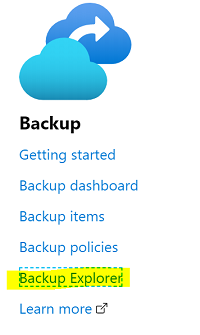
TLDR = Azure Portal > any RSV > Overview > Backup Explorer
- Login to https://portal.azure.com
- Open any
Recovery Services Vaultin yourSubscription - From the
Overviewpage select theBackup Explorerlink
What I like about it
- It’s integrated into the Azure Portal which is perfect for most managed services teams to utilise.
- It contains built-in Search and Query functionality.
- The Summary dashboard allows you to quickly identify issues such as Virtual Machines not backed up.
- Backup Explorer contains portal links to Recovery Services Vaults and Virtual Machines for seamless changes so you don’t need to open new browser windows.
- You have the ability to Export to Excel

What can you do?
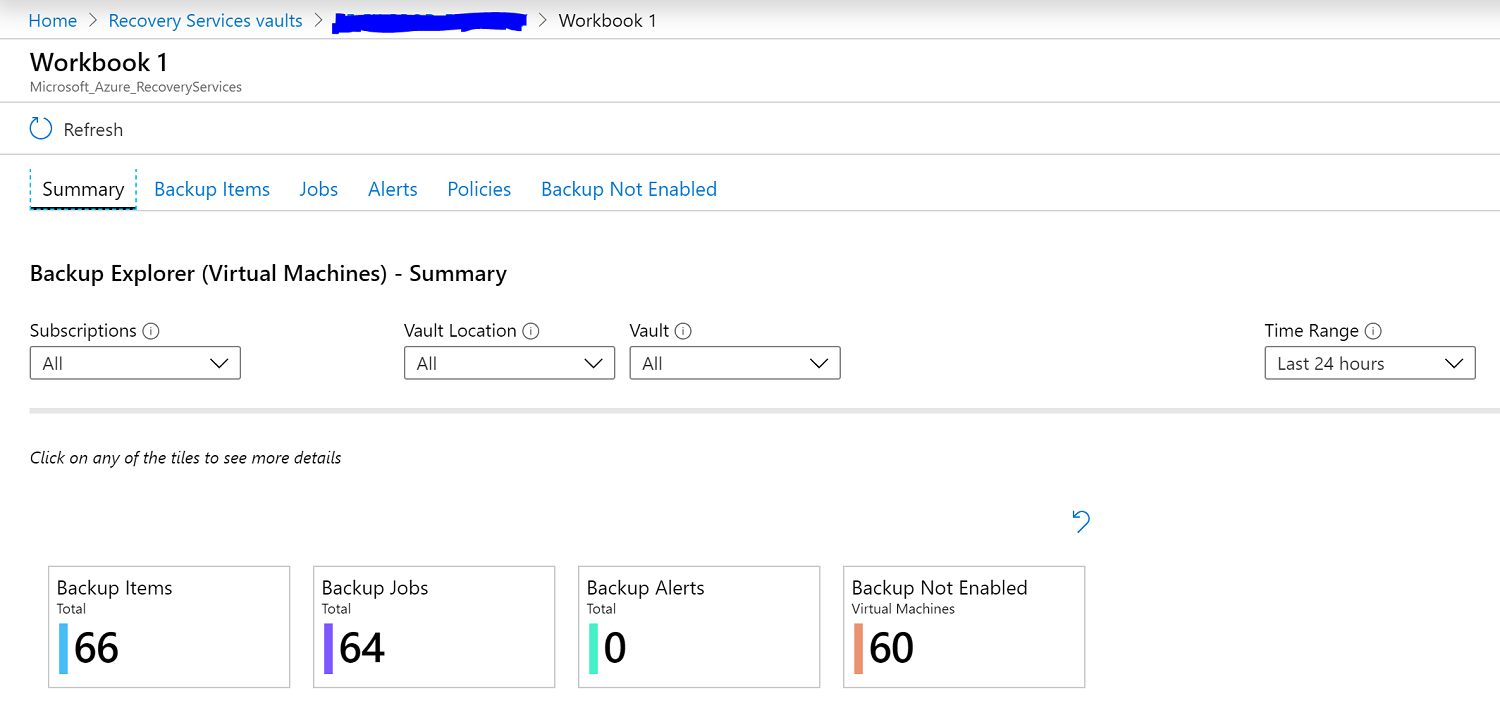
The Summary page gives you a quick overview of the status of backups across all RSVs and all Subscriptions. You can also filter by;
- Subscriptions
- Vault Location
- Vault
- Time Range
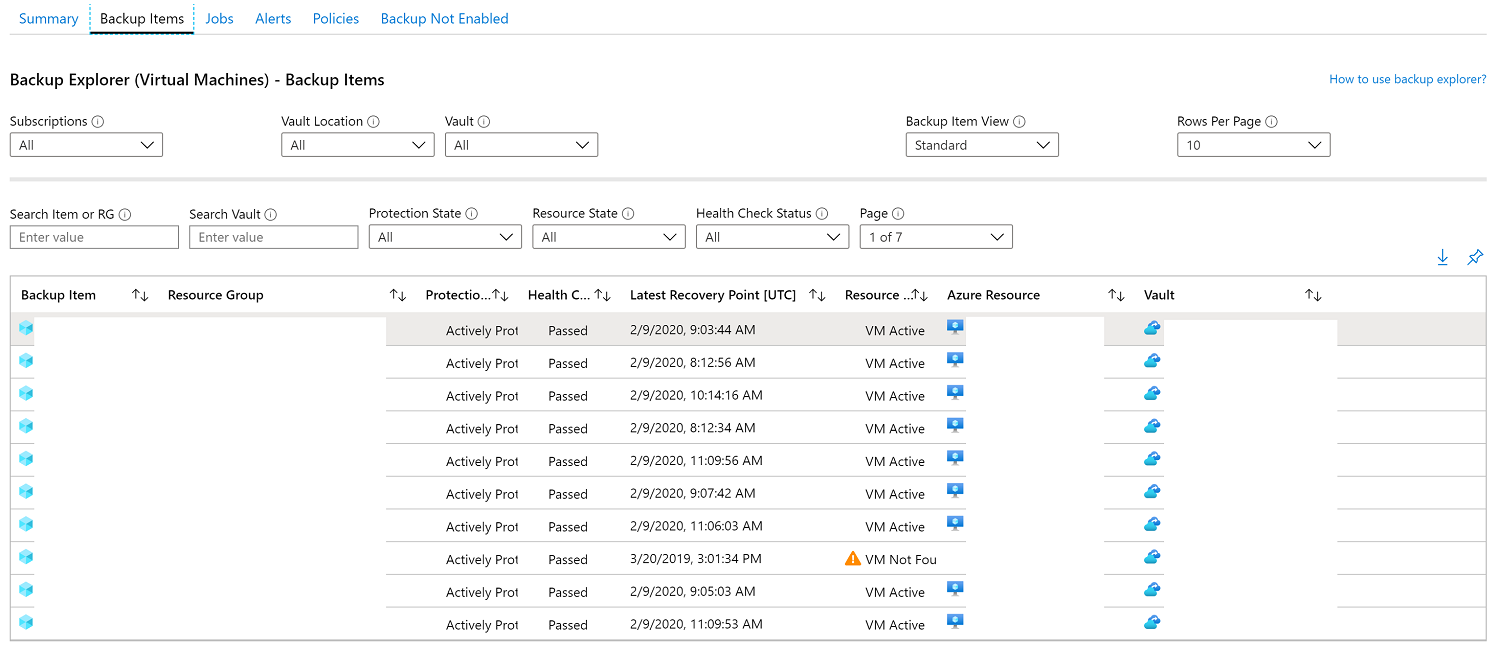
The Backup Items page shows your Virtual Machine protection status and you can search/filter by;
- Backup Item or Resource Group
- Vault
- Protection State -
Actively Protected,Protection Stopped,Initial Backup Pending - Resource State -
VM Active,VM Not Found - Health Check Status -
Passed,ActionRequired,ActionSuggested
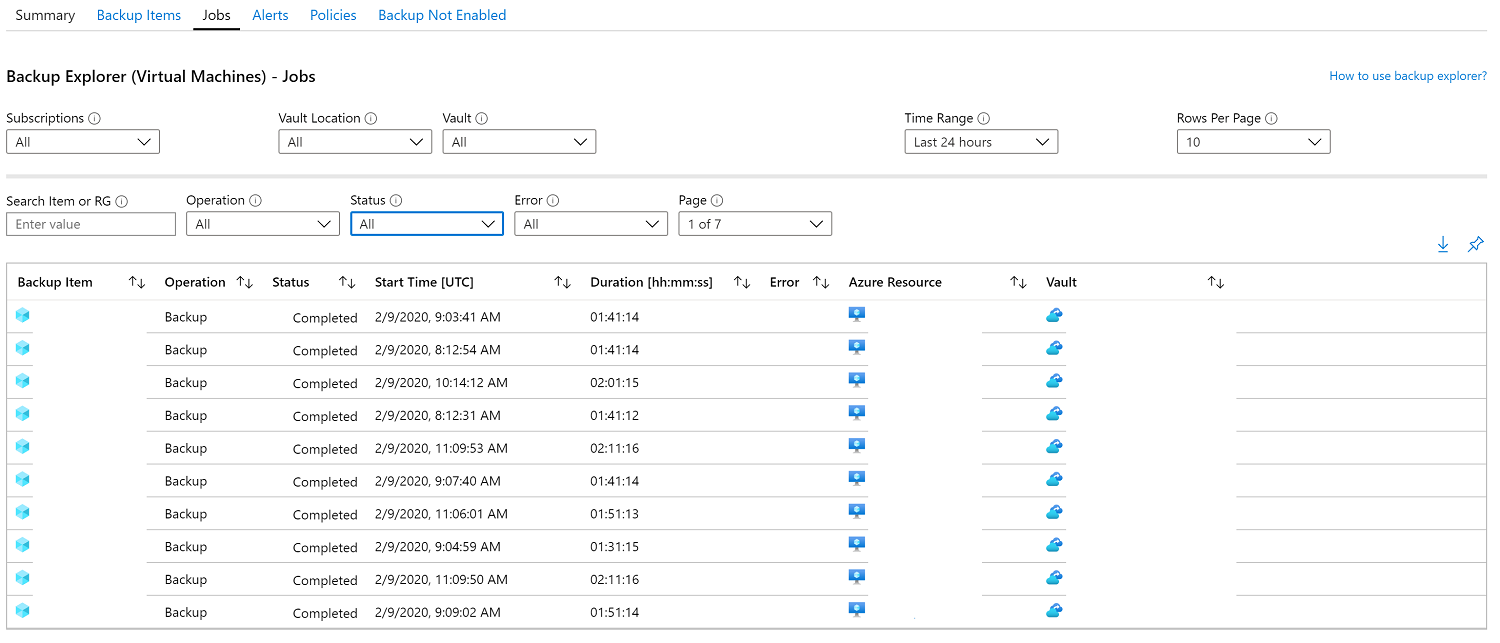
The Jobs page shows the status of backup jobs for Virtual Machines added to your RSVs and you can search/filter by;
- Backup Item or Resource Group
- Operation -
Backup,Restore,ConfigureBackup,DeleteBackupData - Status -
Completed,CompletedWithWarnings,Failed,Cancelled,InProgress - Error
The Alerts page shows alerts for Virtual Machines added to your RSVs and you can search/filter by;
- Backup Item or Resource Group
- Alert Type -
Backup Failure,Restore Failure,Delete Backup Data - Status
- Severity -
Critical,Warning,Info
The Policies page shows an overview of RSV policies and you can search/filter by;
- Vault or Policy
- Has Protected Items? -
Yes,No - Schedule Frequency -
Daily,Weekly - Retention Type -
Daily,Weekly,Monthly,Yearly - Snapshot Retention -
0-5
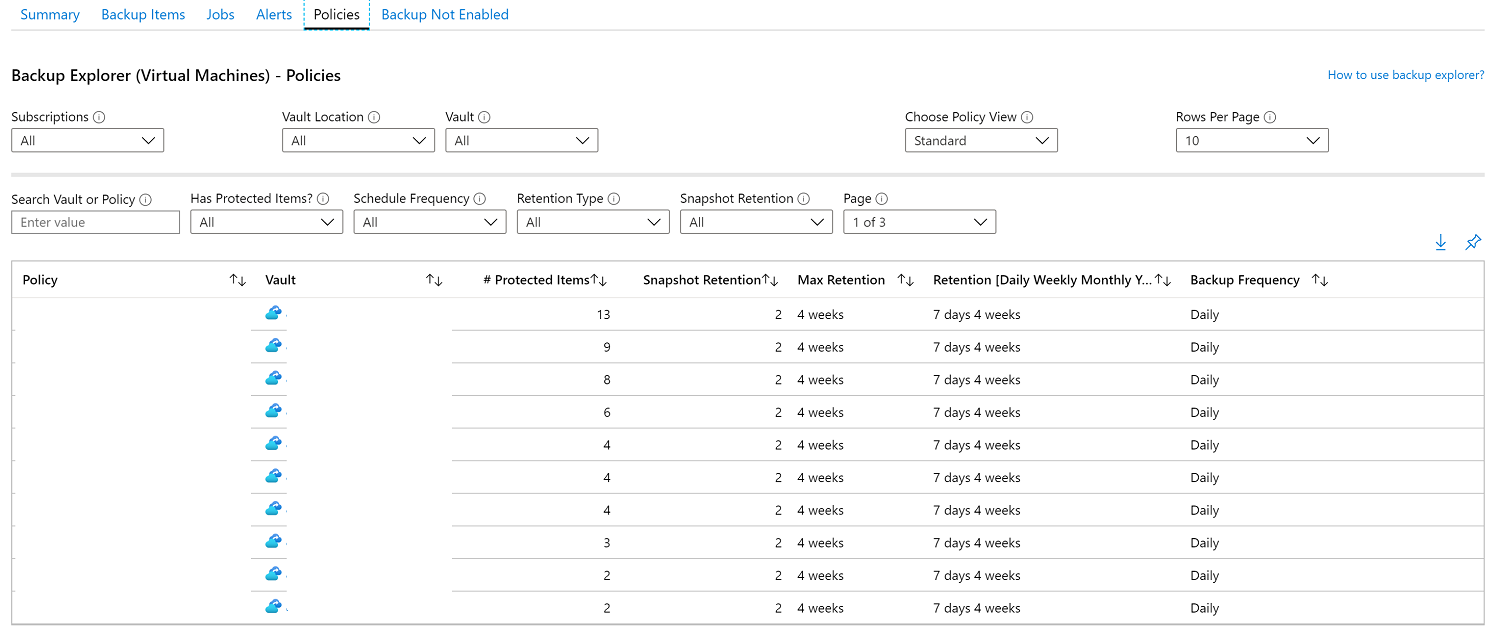
The Backup Not Enabled page shows a list of Virtual Machines with no backup configured and you can search by;
- Machine Name
- Tags
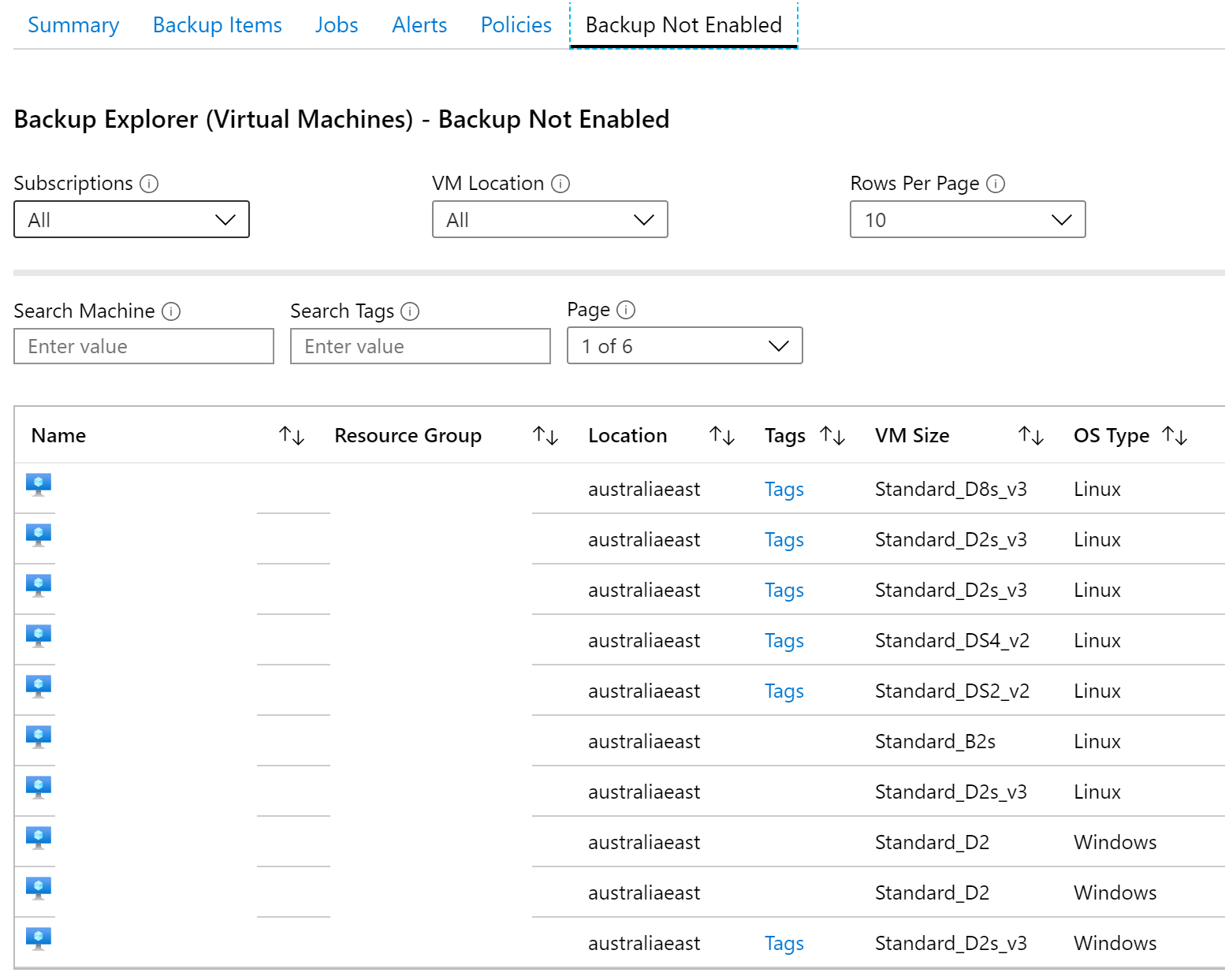
Improvements I’d like to see
- Add a new page for “Backup Storage” showing GB usage across Recovery Services Vaults.
- Integration with Azure PowerBI for;
- Reporting templates such as:
- Successful/Failed Backups for Week/Month/Year
- Latest Recovery Point per VM
- Ability to subscribe to Critical Alerts & Events
- Reporting templates such as:
Closing Remarks
Azure Backup Explorer makes it easier to monitor backups across multiple Azure Subscriptions from the Azure Portal and quickly identify gaps/issues.
Cheers, Jesse